
Mail Flow: current product and proposed roadmap
Mail Flow
Every send,
accounted for.
Personalized society email with a clear view of progress, recipient results, and the next action.
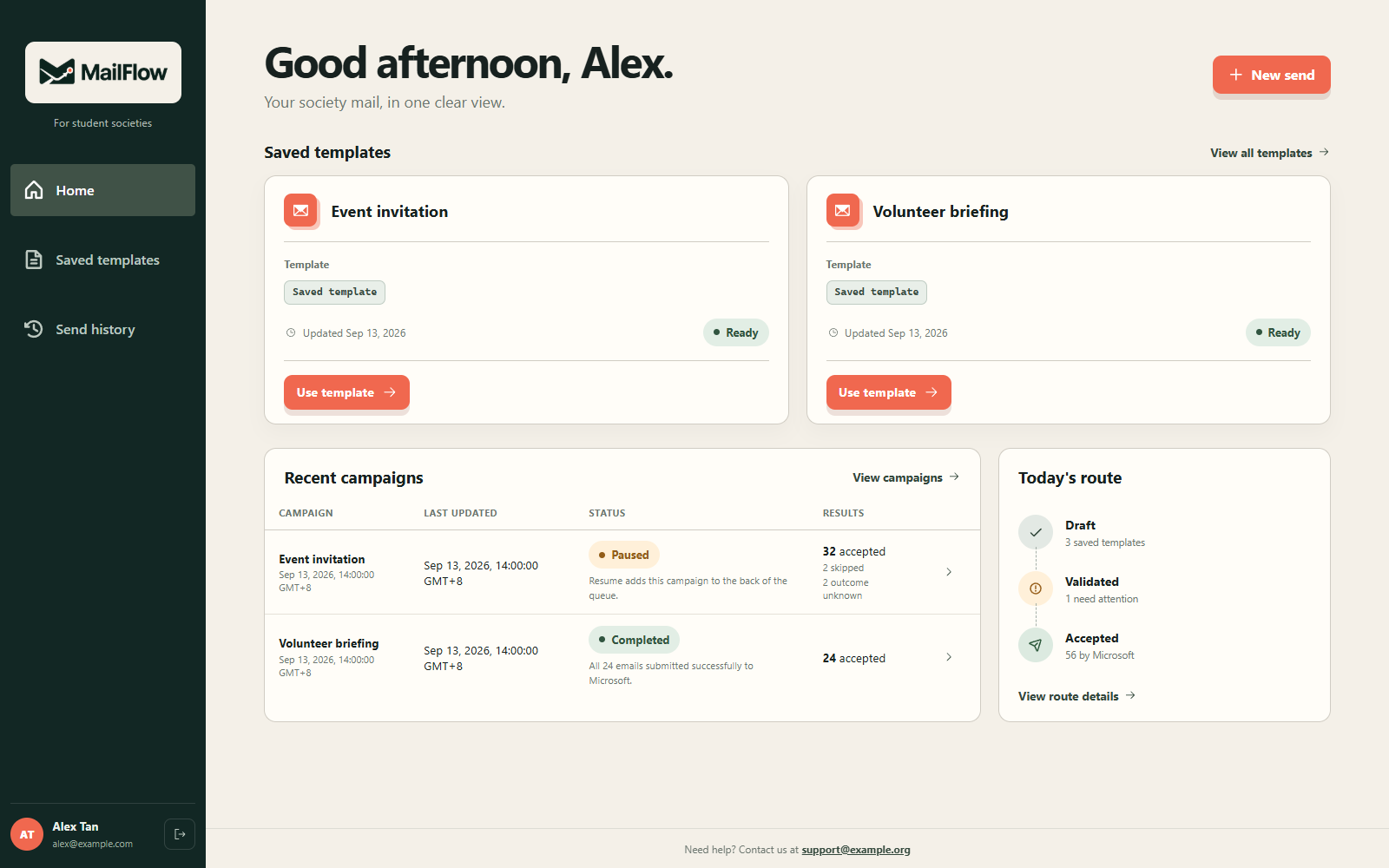
A status for each recipient.
See what is pending, what Microsoft accepted, and where to investigate. Paced sending continues after the browser closes.
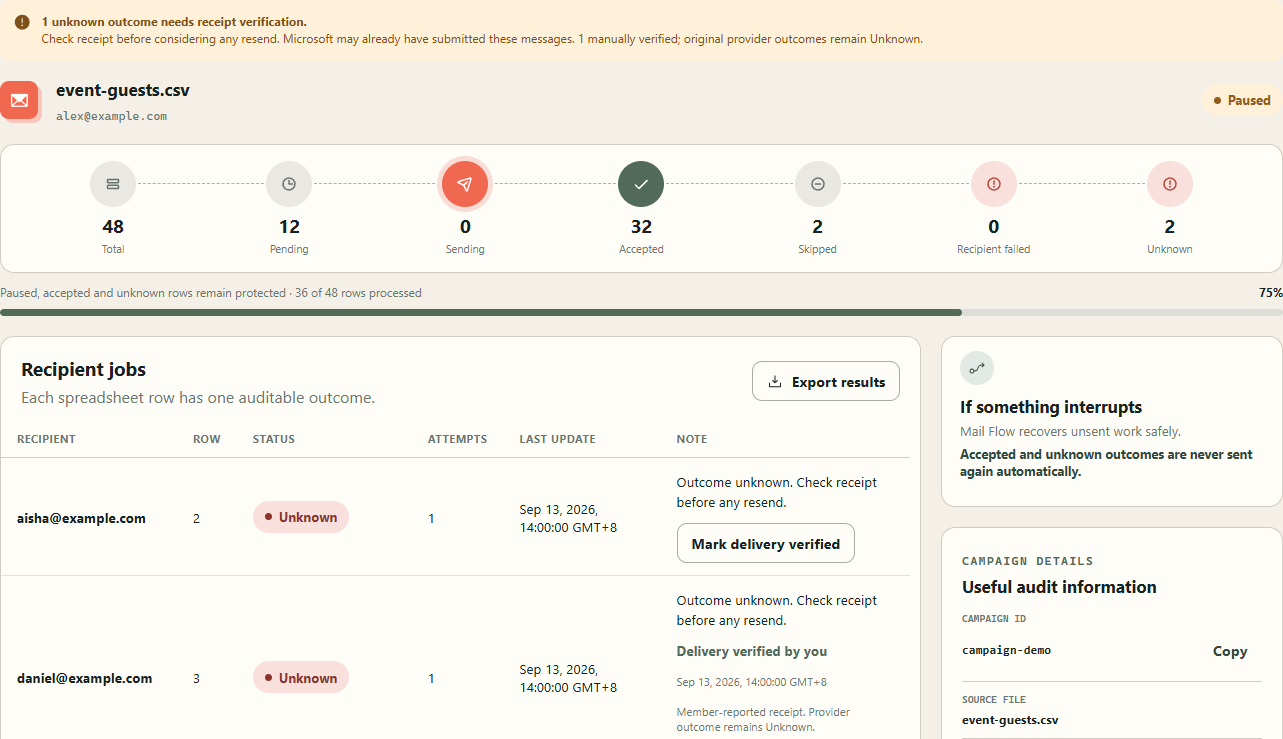
Accepted by Microsoft confirms submission. It does not confirm inbox delivery. Unknown submissions require review and are not automatically resent.
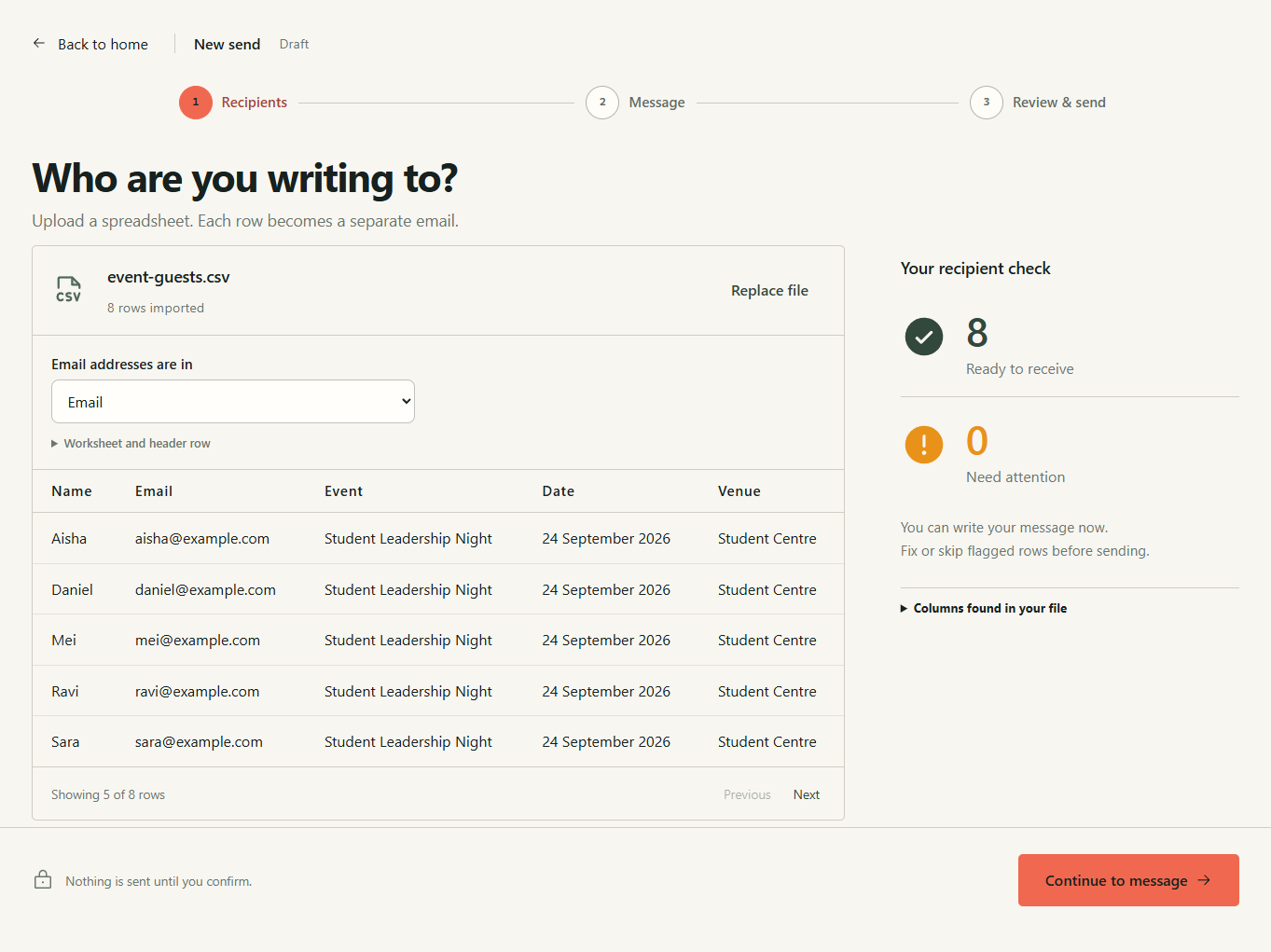
A spreadsheet becomes individual messages.
Start with Recipients, continue to Message, then Review & send. Confirm your email column and check each row.
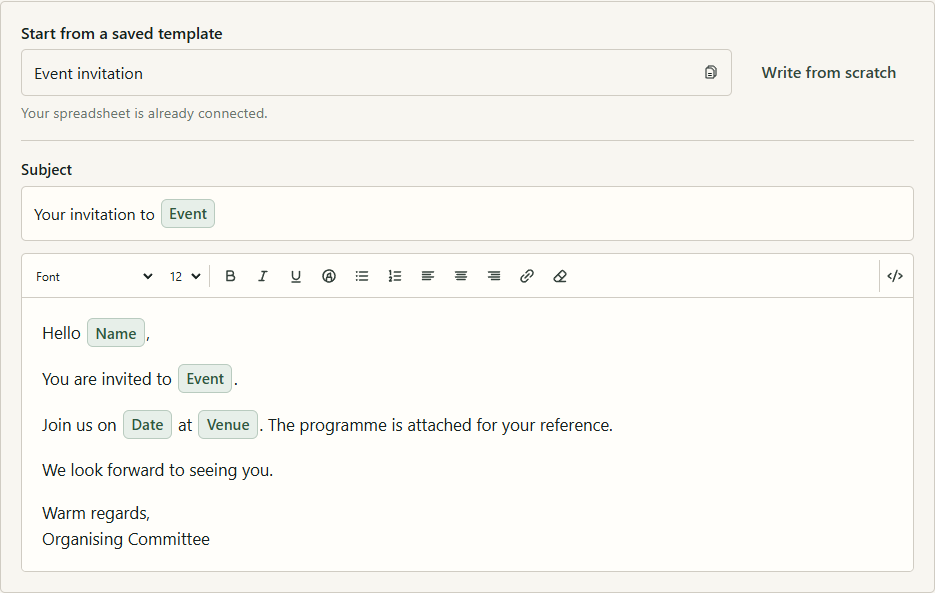
Write once. Personalize each message.
Values from your file
Insert a name, event, date, or another spreadsheet value wherever the message needs it.
Familiar editing
Use visual formatting or sanitized HTML, then review the result for individual recipients.
The details stay under your control.
Your Outlook stays the sender
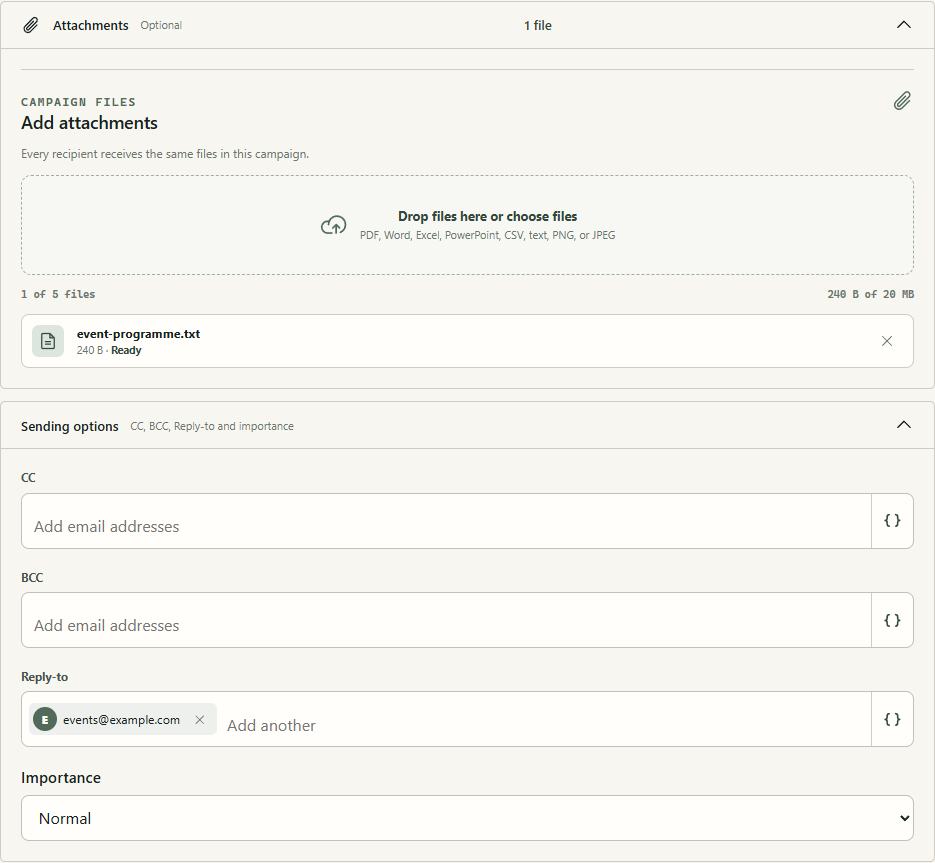
Set fixed or spreadsheet-based CC, BCC, and Reply-to addresses. Choose message importance.
Campaign attachments
Every recipient gets the same reviewed files. Attach up to five files, totaling 20 MiB, through your OneDrive App Folder.
Attachments are temporary campaign storage. Microsoft mail and OneDrive permissions are required.
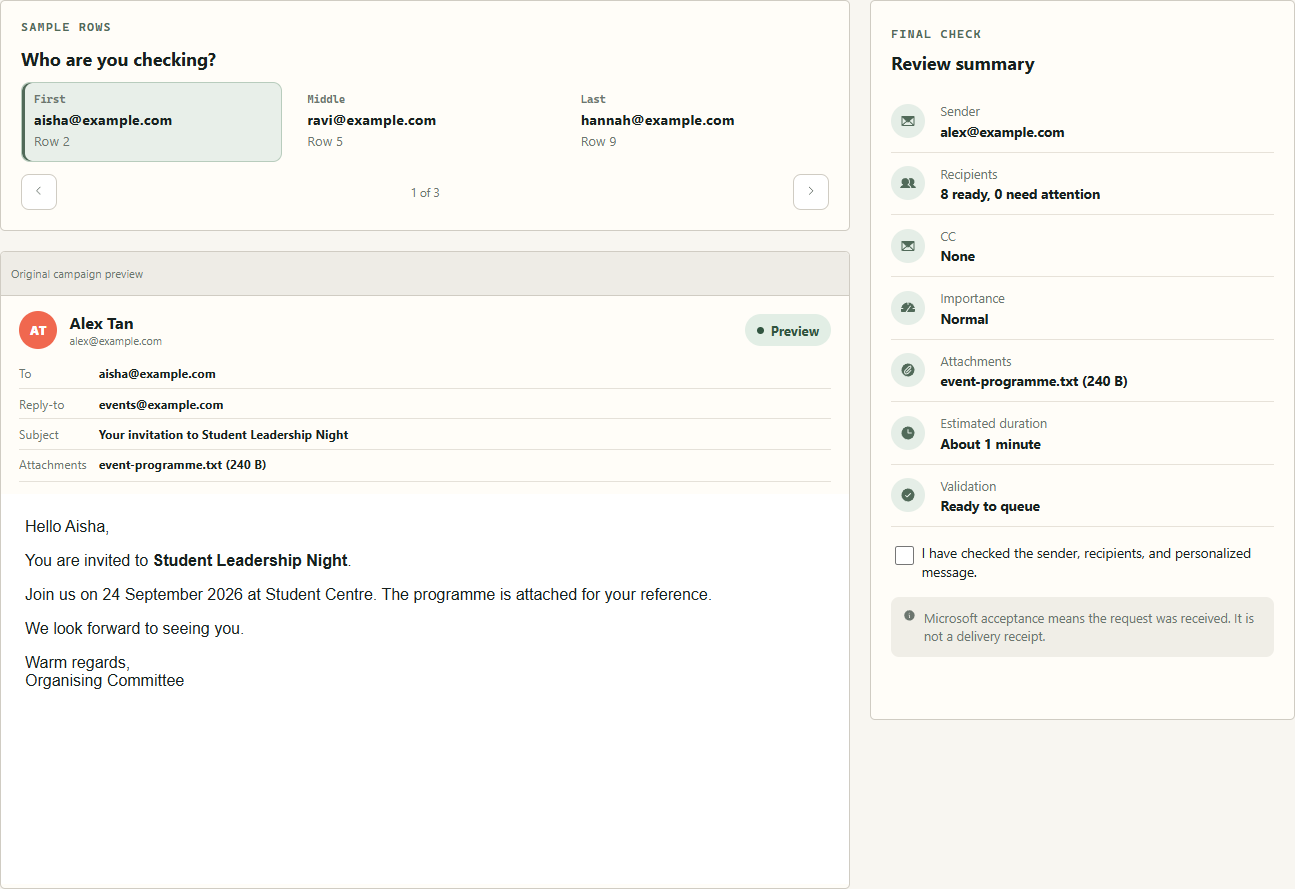
Review before the campaign starts.
Check representative personalized messages, send a test to yourself, and acknowledge the final review.
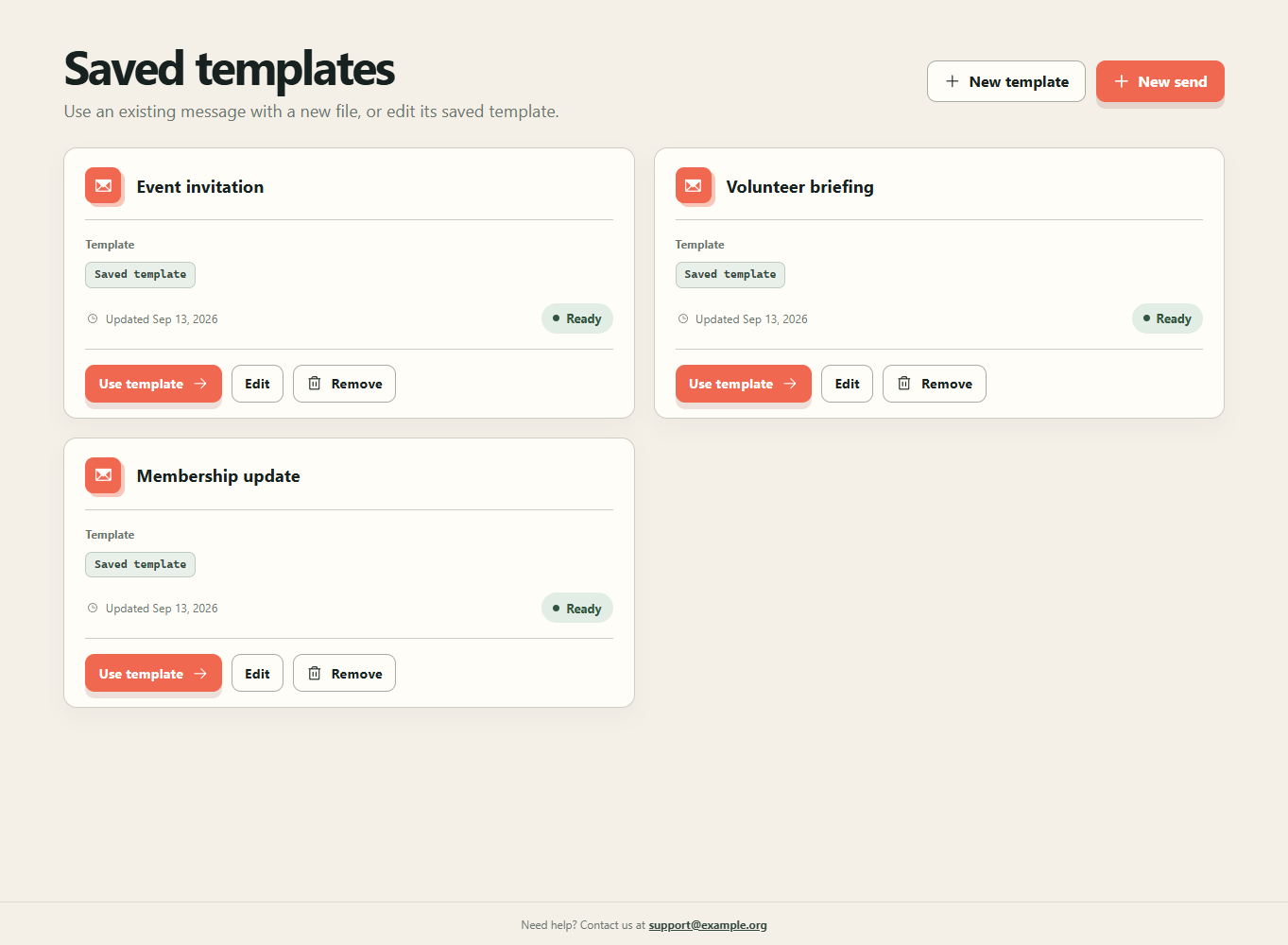
Useful work stays easy to find.
Reusable flows
Choose a saved template without losing imported recipients. One-off edits stay separate from explicit template updates.
Campaign records
Browse older campaigns with paginated history and export their recipient outcomes instead of reconstructing what happened.
Ownership today is individual. Shared society access is proposed on the roadmap.
Roadmap / proposed feature
Society Workspaces.
A shared home for approved members, reusable templates, and committee records.
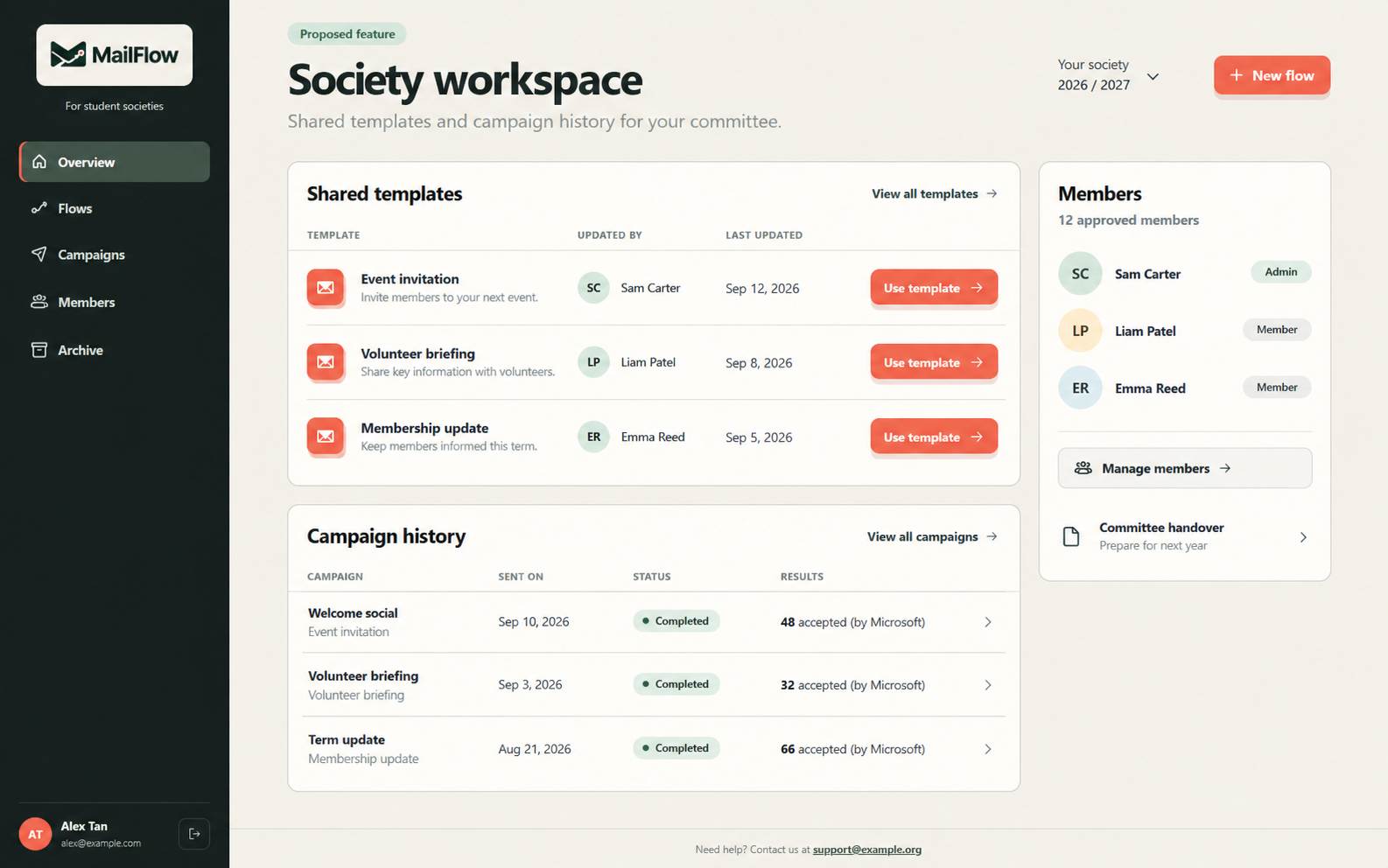
Approved membership
Admins approve student identities. Verified Microsoft sign-in connects members to the society.
Shared committee memory
Members create and reuse flows, view shared campaigns, and retain records across committee handovers.
Each sender still uses their own mailbox. A permanent society file library needs a separate storage decision.